
I didn’t expect AI storytelling apps for kids learning to become part of our daily routine, but it quietly transformed how we approach creativity. What started as a fun activity turned into something that actually improved reading, imagination, and confidence.
Now storytelling isn’t just something we read at bedtime. It’s something we build together, and honestly, it feels more meaningful than any worksheet ever did.
Why Do AI Storytelling Apps for Kids Learning Work So Well?
One thing I noticed right away is how quickly kids connect when they feel involved. When a child becomes the main character, the story suddenly matters more.
That’s where tools like Storybird and Toontastic 3D make a difference. They shift storytelling from passive listening to active creation.
I also started linking this habit with creative learning tools for kids at home, and it changed how we use screen time. Instead of scrolling or watching, kids start building ideas, scenes, and characters.
Over time, I saw stronger communication skills too. Kids begin explaining their story choices, which naturally builds confidence and clarity.
What Are the Best AI Storytelling Apps for Kids Learning Right Now?
Not every app works the same way, and that’s actually a good thing. Each one supports a different type of learner.
| App | Best For | Key Strength |
| Storybird | Writing skills | Visual prompts inspire ideas |
| Toontastic 3D | Animation | Teaches story structure |
| Buddy.ai | Language learning | Voice-based storytelling |
| LoveToRead.ai | Personalization | Child becomes the hero |
I like rotating between apps depending on mood. Some days focus on writing, while others turn into animated storytelling sessions.
This variety keeps kids engaged without feeling repetitive. It also helps them explore different ways to express ideas.
How Do AI Storytelling Apps for Kids Learning Improve Real Skills?
At first, it felt like playtime. But over a few weeks, I started noticing real improvements.
Writing becomes easier because kids practice without pressure. They experiment with words, build sentences, and learn structure naturally.
I also connected this with how to improve kids learning with AI apps and storytelling made reading feel more interactive. Instead of just reading stories, kids start analyzing them.
Language learning also improves faster. Apps like Buddy.ai use storytelling to introduce vocabulary in context, which makes it easier to remember.
Critical thinking grows as well. Kids begin asking questions like “What happens next?” or “Why did this character do that?” That curiosity drives deeper learning.
For additional insights on child development and learning patterns, you can explore UNICEF and Edutopia.
Can You Really Create Personalized Storybooks at Home?

Yes, and this became one of my favorite routines.
Using ChatGPT and Canva, I started creating stories where the child becomes the main character.
This is where engagement completely changes. Kids don’t just read the story—they connect with it emotionally.
A simple idea like a treasure hunt turns into a full storybook with illustrations, characters, and a storyline. Over time, you can even create a series with the same character.
That consistency builds excitement and keeps kids coming back for more.
How to Create AI Storytelling Apps for Kids Learning Stories Step by Step

This is the routine I follow, and it keeps things simple and fun.
First, I choose a theme. It could be anything from space adventures to magical forests. The simpler the idea, the better.
Next, I use ChatGPT to generate the story. I include details like age, tone, and character traits to make it feel personal.
Then I move to Canva and create visuals using AI tools. I keep the character description consistent so the images match across pages.
After that, I arrange everything into a storybook format. I adjust spacing, add colors, and make sure the layout feels clean and readable.
Finally, I download the book or print it. Seeing a finished storybook creates a sense of accomplishment that kids genuinely love.
Are These Apps Safe and Parent-Friendly?
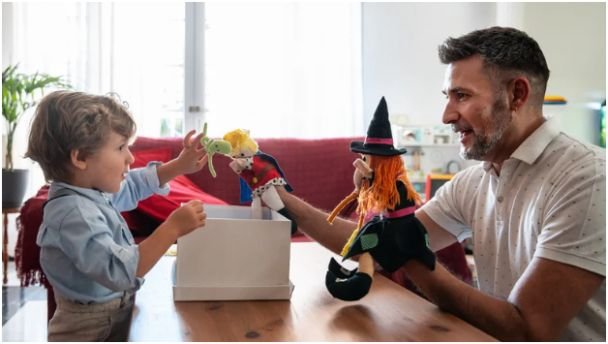
Safety was one of my first concerns, and it’s something I still pay attention to.
Most ai storytelling apps for kids learning include filters that keep content age-appropriate. That makes them safer than many other digital tools.
I still stay involved, though. I guide themes, review stories, and sometimes co-create content. That balance keeps things safe while encouraging creativity.
If you want a trusted perspective on app safety and ratings, Common Sense Media is a great resource to explore.
Key Takeaways From My Experience
- Personalized stories increase engagement instantly
- Mixing different apps keeps creativity fresh
- AI tools support learning without pressure
- Consistency builds stronger storytelling habits
- Parent involvement improves the experience
What Questions Do Parents Usually Ask?
1. Are AI storytelling apps suitable for all ages?
Yes, but I always match the app to the child’s age. Younger kids enjoy voice-based apps, while older kids prefer writing and animation tools.
2. Do kids actually learn or just play?
They learn naturally. Storytelling builds writing, vocabulary, and thinking skills without making it feel like traditional studying.
3. Is it expensive to use these tools?
Most apps offer free versions. I started with free options and upgraded only when I wanted more customization.
4. How often should kids use these apps?
I keep it balanced. A few sessions per week work well and keep it fun instead of routine.
So… Did AI Storytelling Just Outsmart Boring Learning?
Honestly, it did.
What surprised me most is how quickly kids shift from passive consumption to active creation. Once they start building stories, they become more curious and engaged.
Using ai storytelling apps for kids learning turned everyday screen time into something meaningful. It became a creative routine that actually supports growth.
If you try one thing, keep it simple. Create one story together and see what happens. That small step often leads to something much bigger—and much more fun.