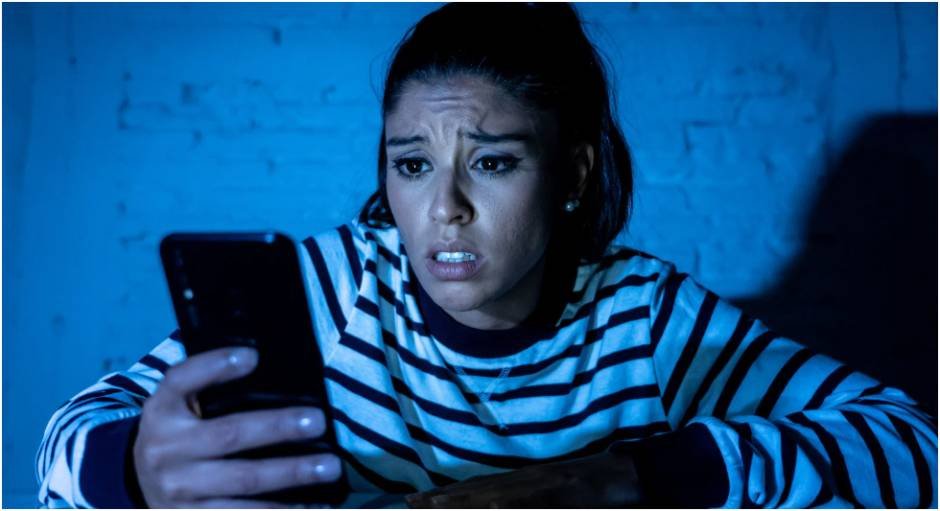
I realized something uncomfortable one evening while watching my kid scroll—technology moved faster than my rules. I kept saying “be careful,” but I never showed what that actually meant in real situations.
That’s when I shifted my approach. Instead of controlling every app or setting, I started building habits we could follow together. That change made everything calmer, smarter, and honestly more effective.
If you’re figuring out how to keep kids safe online 2026, the real goal isn’t restriction. It’s confidence, awareness, and a routine your child can actually follow without you hovering.
Why does how to keep kids safe online 2026 focus on habits instead of control?
I used to think stricter rules meant safer kids. No social apps, no unknown chats, no exceptions. It worked… until it didn’t. The moment my child used a friend’s device, all those rules disappeared.
That’s when I understood something important. Safety doesn’t come from control. It comes from what your child does when you’re not there.
In 2026, kids interact with AI, gaming chats, and content that looks real but isn’t. You can’t block everything. But you can teach them how to pause, question, and respond. That’s where real safety lives.
What is the “Pause, Screenshot, Ask” rule and why does it work so well?
This one rule changed everything in our house. It’s simple enough for any age but powerful enough to stop real threats.
When something feels off, I remind my child to pause first. No clicking, no replying. Just stop. That alone prevents most mistakes because urgency is usually part of the trap.
Next comes the screenshot. It creates proof and gives us something to review together. And finally, ask. No judgment, no punishment. Just a conversation. Once this became a habit, I noticed fewer risky decisions and more confidence.
How do AI threats change how to keep kids safe online 2026?
This is where things get real. Kids aren’t just dealing with strangers anymore. They’re dealing with fake friends, fake voices, and realistic-looking videos.
I explained to my child that not everything online deserves trust, even if it looks familiar. If a “friend” asks for money or personal photos, we verify it through a call or real-life check. No exceptions.
We also talk about emotional triggers. If something feels urgent, shocking, or too dramatic, it’s often designed that way. Teaching kids to question what they see builds a level of awareness no filter can replace.
What digital guardrails actually work for different ages?
Instead of one set of rules for everything, I adjusted expectations based on age. That made things feel fair and easier to follow.
Here’s what our routine looks like:
| Age Group | What I Focus On | What I Allow |
| Under 13 | Safe platforms, no strangers | Kid-focused apps only |
| 13–15 | Privacy + limited interaction | Private accounts, known contacts |
| All ages | Awareness + routine check-ins | Supervised independence |
I don’t treat these like strict rules. I treat them like training wheels. As trust builds, freedom grows. That balance keeps things stable without constant arguments.
Why is removing punishment key to how to keep kids safe online 2026?
This one felt counterintuitive at first. I always thought consequences kept kids careful. But I realized fear makes kids hide mistakes.
So I introduced what I call an “amnesty rule.” If my child tells me immediately about something risky, they don’t lose their device. We fix it together.
That one change opened the door for honest conversations. Instead of hiding problems, my child brings them to me. That trust matters more than any restriction ever could.
How do I secure devices and accounts without overcomplicating everything?

I keep things simple and consistent. No complicated setups that we’ll forget in a week.
At home, I use basic router-level filters. That blocks obvious risks without touching every single device. Then we turn off location sharing on apps that don’t need it.
Passwords used to be a mess, so I helped my child create simple but unique ones and added two-step verification on important accounts. It took one afternoon, but it saved a lot of future stress.
How to keep kids safe online 2026 step by step in real life
This is the routine I follow, and it works because it fits into everyday life.
First, I start with a conversation, not a lecture. I explain why safety matters using real examples, not fear. Kids respond better when they understand the reason behind the rule.
Next, I teach the Pause, Screenshot, Ask rule until it becomes automatic. We even practice it with fake scenarios so it feels natural.
Then I set up basic protections—privacy settings, filtered Wi-Fi, and secure passwords. I keep it simple so we actually maintain it.
After that, I schedule a weekly 10-minute check-in. We sit together, review apps, and talk about anything new. No surprises, no pressure.
Finally, I model the behavior I expect. I don’t scroll endlessly while telling my child to log off. Kids notice everything, and consistency matters more than words.
What daily habits make online safety feel natural instead of forced?
The biggest shift came when safety stopped feeling like a rule and started feeling like a routine.
We talk about what we see online during dinner. Not in a serious way, just casually. It keeps the door open without making it awkward.
I also stay aware of new apps or trends without panicking. When something new shows up, I ask questions instead of shutting it down immediately.
Over time, these small habits build awareness and identity building in children with digital tools. My child doesn’t just follow rules. They think before they act. That’s the real goal.
Key Takeaways
- Kids stay safer when they build habits, not when you block everything
- The Pause, Screenshot, Ask rule stops most risky situations early
- AI makes verification and critical thinking more important than ever
- Trust grows when kids can report mistakes without punishment
- Simple routines work better than complex systems
FAQs
1. What is the safest way to start teaching how to keep kids safe online 2026?
Start with simple habits like pausing before reacting and asking questions. Kids don’t need complex rules first. They need awareness and a safe space to talk about what they experience.
2. Should I monitor my child’s phone constantly?
Constant monitoring creates stress and secrecy. I focus on regular check-ins instead. It keeps communication open and helps my child stay honest without feeling controlled.
3. How do I handle my child clicking a suspicious link?
Stay calm and avoid blaming them. Fix the issue together, like changing passwords or checking the device. This reinforces trust and encourages them to come to you next time.
4. Are parental control apps enough?
They help, but they don’t replace conversations. Kids still need to understand risks. Tools support safety, but habits and awareness make the biggest difference.
So… Are You Raising a Rule-Follower or a Smart Digital Thinker?
I stopped trying to control every click and started focusing on what actually matters—how my child reacts when something feels off.
That shift made everything easier. Fewer arguments, more trust, and way better decisions.
If you’re working on how to keep kids safe online 2026, focus less on restrictions and more on real-life habits. The goal isn’t perfect control. It’s raising someone who knows how to handle the internet on their own—and that’s what truly lasts.