Why Did I Start Using Online Tools for Creative Kids Learning at Home?
I didn’t plan to turn screen time into something meaningful. It just happened after I noticed my kid getting bored with the same games every day. That’s when I started exploring online tools for creative kids learning, and everything shifted.
Instead of zoning out, I saw curiosity come back. One day it was drawing, the next day it was building a mini game. It felt less like “screen time” and more like real learning happening right in front of me.
What surprised me most was how easy it felt to build this into our routine. No pressure, no strict schedules. Just small, consistent habits that made creativity part of everyday life.
What Makes Online Tools for Creative Kids Learning So Effective?
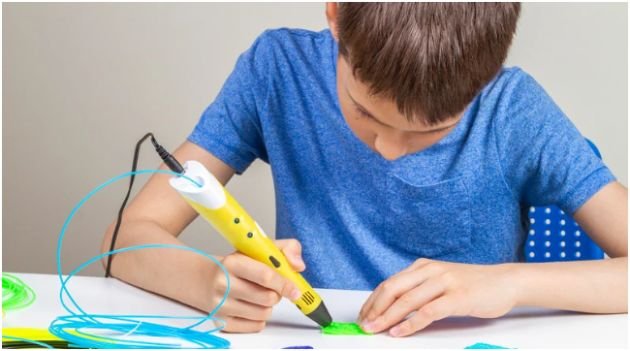
I’ve tried worksheets, activity books, and even expensive kits. Nothing stuck the way these tools did. The biggest reason? Kids feel in control.
When my child uses Scratch, they decide what to build. They don’t follow instructions blindly. They experiment, fail, and fix things on their own. That sense of ownership makes a huge difference.
Another reason these tools work is instant feedback. Whether it’s music apps or drawing platforms, kids see results right away. That keeps them engaged without me needing to push or remind them constantly.
And honestly, it also fits real life. I can set it up in minutes, and they can explore while I handle other things. It feels practical, not overwhelming.
Which Creative Tools Do Kids Actually Enjoy Using?
After trying a bunch of options, I noticed patterns. Kids don’t stick to tools just because they’re educational. They stick to tools that feel fun first.
For art and design, platforms like Canva and Crayola Create & Play work really well. My child loves creating posters and coloring digitally without worrying about mistakes.
When it comes to coding, Scratch and Tynker keep things simple but engaging. They turn coding into a game, which removes the fear completely.
For storytelling, I’ve seen great results with Book Creator. Kids love seeing their stories come alive with images and layouts they control.
And for music, Chrome Music Lab feels like pure play. It doesn’t feel like learning, but it absolutely is.
How Do I Fit Online Tools for Creative Kids Learning Into Daily Life?

This was my biggest concern at the start. I didn’t want another complicated system. I wanted something that fits naturally into our day.
What worked for me was keeping it simple and consistent. I stopped trying to plan everything and instead created a loose rhythm.
If you’re also trying to manage your child’s digital habits, I found it helpful to combine these tools with simple routines like those in my guide on monitoring kids’ screen time effectively. It made everything feel more balanced and intentional.
Here’s what our routine looks like:
| Time of Day | Activity Style | Tool Example |
| After school | Creative play | Drawing or design |
| Early evening | Skill building | Coding or storytelling |
| Weekend | Free exploration | Music or mixed projects |
I don’t force specific tools. I give options and let my child choose. That freedom keeps things exciting and removes resistance.
Over time, this became a habit. Now, they reach for these tools on their own, which is exactly what I wanted.
How Do I Choose the Right Tools Without Overwhelm?
I made the mistake of downloading too many apps at first. It didn’t help. It just confused both of us.
Now I follow a simple rule: start small. I pick one tool from each category and test it for a week. If it sticks, we keep it. If not, we move on.
I also look for tools that grow with the child. Platforms like Tinkercad or CodeMonkey offer beginner-friendly entry points but don’t feel limiting later.
Another thing I pay attention to is ease of use. If I need a manual to figure it out, it’s not worth it. Kids should be able to explore without constant help.
How-To: Build a Simple Routine With Online Tools for Creative Kids Learning
I didn’t create a perfect system overnight. I built it step by step, and you can do the same.
Start by picking one creative category your child already enjoys. If they love drawing, begin with art tools. If they like games, try coding platforms.
Next, set a specific time window. I usually go for 20–30 minutes after school. Keep it short so it feels fun, not forced.
Then, sit with them for the first few sessions. Not to teach, but to explore together. Ask questions, celebrate small wins, and let them lead.
After that, step back gradually. Let them take ownership. This is where the real magic happens. They start experimenting, making mistakes, and figuring things out on their own.
Finally, rotate tools every few weeks. This keeps things fresh and prevents boredom without overwhelming them.
What Changes Did I Notice After Using These Tools?

The biggest shift I saw was confidence. My child started saying things like, “I made this,” instead of just showing something they watched.
Problem-solving improved too. When something didn’t work, they didn’t give up immediately. They tried again, changed things, and figured it out.
I also noticed better focus. These tools require attention, but they don’t feel boring. That balance keeps kids engaged longer without frustration.
And honestly, I felt less guilty about screen time. It finally felt productive, creative, and meaningful.
FAQs About Online Tools for Creative Kids Learning
1. Are online tools for creative kids learning safe to use?
Most platforms offer kid-friendly environments with strong safety controls. I still check settings and monitor usage, especially in the beginning, to make sure everything feels secure.
2. How much screen time should kids spend on these tools?
I keep it balanced. Around 30–60 minutes of creative screen time feels right in our routine, especially when it replaces passive watching.
3. Do kids need supervision while using these tools?
At the start, yes. I stay nearby to guide and support. Over time, I step back as they become more confident and independent.
4. What age is best to start using these tools?
You can start as early as preschool with simple apps. Tools like drawing or basic coding adapt well to different age levels.
Key Takeaways
| What Works Best | Why It Matters |
| Start small | Prevents overwhelm |
| Keep routines flexible | Builds consistency |
| Let kids choose | Encourages ownership |
| Rotate tools | Keeps engagement high |
Screen Time… But Make It Creative and Worth It
I used to worry about how much time my child spent on screens. Now I think differently. It’s not about how long, but how they use that time.
When I introduced online tools for creative kids learning, I didn’t just fill time. I gave my child a way to create, explore, and build something meaningful.
And the best part? I didn’t have to force it. Once the right tools clicked, everything else followed naturally.
If you’re unsure where to start, just pick one tool and try it today. You might be surprised how quickly creativity takes over.