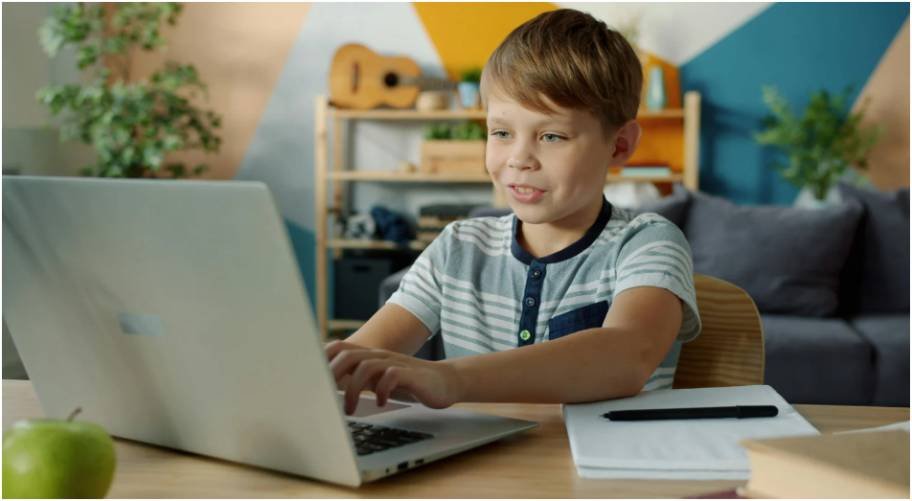
I used to think screens were either “good” or “bad” for kids. But once I started using parenting technology for child development intentionally at home, everything changed.
Now, technology feels less like a distraction and more like a tool I guide every day. It’s not about removing screens—it’s about how I use them with my child.
What worked for me wasn’t strict rules alone. It was a mix of routines, conversations, and choosing the right kind of apps that actually build skills.
Key Takeaways (From My Real Routine)
| What I Changed | What Happened |
| I started co-using apps instead of letting solo screen time happen | My child became more curious and talkative |
| I limited passive videos and focused on interactive apps | Better focus and problem-solving skills |
| I created tech-free zones (like dinner time) | Stronger family connection and better sleep |
| I stayed involved instead of “handing over the iPad” | More meaningful learning moments |
Why Does Parenting Technology for Child Development Matter So Much Today?

I noticed something early—my child didn’t just watch screens. He reacted to them, copied them, and learned from them.
That’s when I realized parenting technology for child development isn’t about devices. It’s about influence.
When I ignored how tech showed up in our home, I saw more distraction and shorter attention spans. But when I became intentional—talking, guiding, and choosing better content—I saw real growth.
Kids today don’t separate “online” and “offline.” It’s all one experience. So if I want better development, I have to shape both.
How Do I Use Parenting Technology for Child Development Without Overdoing It?
I stopped trying to eliminate screens. Instead, I started controlling how and when we use them.
I set simple boundaries. No devices during meals. No screens in bedrooms. That alone improved sleep and conversations instantly.
But rules alone didn’t solve everything. I also changed how we used tech. I sat with my child, asked questions, and treated screen time like a shared activity—not babysitting. That’s when I really understood how to monitor kids screen time effectively without turning it into a constant battle.
That shift made a huge difference. It turned passive time into learning time.
What Apps Actually Support Parenting Technology for Child Development (Ages 9–15)?

Once my child grew older, I realized basic learning apps weren’t enough anymore. He needed tools that challenged him to think and create.
Here are the ones that actually worked in my routine:
STEM & Problem-Solving (Where Real Growth Happened)
- Brilliant.org helped him think, not just memorize. The puzzles made him slow down and solve problems.
- Scratch became his favorite. He started building games, which boosted creativity and logic.
- Swift Playgrounds helped him transition into real coding concepts.
- Tinkercad gave him a way to “build” things digitally, which felt more real than worksheets.
I noticed a clear pattern. The more he created, the more confident he became.
Academic Support (Where Stress Went Down)
- Khan Academy became our go-to for homework help.
- Photomath helped him understand steps, not just answers.
- Quizlet made studying feel less boring.
- BrainPop simplified complex topics in a fun way.
Instead of frustration, I started seeing independence. That alone made tech feel worth it.
Language & Curiosity (Where Conversations Grew)
- Duolingo turned language learning into a daily habit.
- Google Arts & Culture sparked curiosity about history and art.
- TED-Ed led to deeper discussions at home.
These apps didn’t just teach—they made us talk more.
What Are the Biggest Mistakes I Avoid in Parenting Technology for Child Development?

I learned this the hard way.
The biggest mistake I made was assuming “educational content” was always helpful. If my child watched it alone, it didn’t stick the same way.
Another mistake? My own phone use. I didn’t realize how much my distraction affected him. When I stayed glued to my screen, he copied that behavior.
This is called technoference, and it’s real. Once I reduced my own distractions, his behavior improved too. I also became more intentional about how to keep kids safe online 2026, especially as apps and digital risks keep evolving.
Also, I stopped overloading him with apps. More tools didn’t mean better results. Fewer, better apps worked far more effectively.
How Do I Build a Daily Routine Using Parenting Technology for Child Development?
This is where everything finally clicked for me.
I didn’t create a strict schedule. I built a flexible routine that fits our lifestyle.
Sample Routine That Works for Us
| Time | What We Do |
| After School | 30–45 minutes of educational apps (interactive only) |
| Evening | Homework support using structured tools |
| Dinner | Completely tech-free |
| Night | No screens 1 hour before bed |
I also rotate apps. One day focuses on coding, another on academics, another on creativity.
That balance keeps things fresh and prevents burnout.
How To Use Parenting Technology for Child Development in a Smart Way
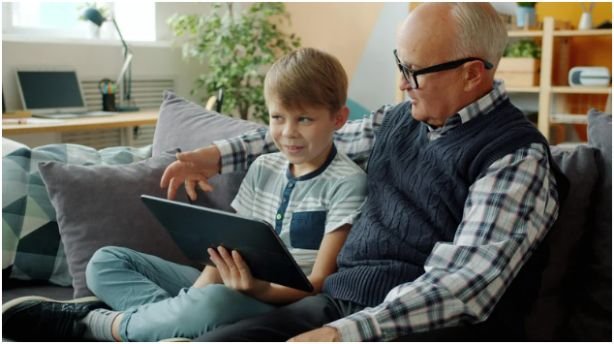
This is exactly how I approach it now, step by step.
First, I choose quality over quantity. I pick a few apps that focus on thinking, creativity, or real learning.
Then, I stay involved. I sit with my child, ask what he’s doing, and encourage him to explain things. That turns screen time into interaction.
Next, I set clear boundaries. I decide when and where devices are allowed so they don’t take over the day.
After that, I mix screen time with real-life activities. If he learns something online, I try to connect it offline.
Finally, I stay consistent. Small daily habits matter more than occasional strict rules.
Is Parenting Technology for Child Development Safe for Younger Kids?
For younger children, I take a completely different approach.
Under age 2, I avoid passive screens. Video calls with family feel okay because they’re interactive.
Between ages 2 to 5, I limit screen time to about an hour and focus only on high-quality content.
Even then, I stay involved. I don’t treat screens as a replacement for play or bonding.
The goal isn’t to eliminate technology—it’s to protect development while slowly introducing it.
So…Am I Raising a Tech Genius or Just a Balanced Human?
Honestly, I stopped chasing the idea of raising a “tech-smart kid.”
What I care about now is raising a child who knows how to use technology without depending on it.
Using parenting technology for child development helped me create that balance. It’s not perfect every day, but it’s intentional.
The biggest shift came when I stopped outsourcing learning to apps and started participating in it.
If I could give one piece of advice, it’s this—don’t just manage your child’s screen time. Be part of it.
That’s where the real magic happens.
FAQs
1. How much screen time is okay for kids?
I keep it balanced. For younger kids, around one hour of quality content works. For older kids, I focus more on what they do rather than just how long.
2. Are educational apps really effective?
Yes, but only when used actively. I’ve seen better results when I engage with my child instead of letting them use apps alone.
3. What is the biggest mistake parents make?
From my experience, it’s passive screen time and personal phone distraction. Both reduce engagement and impact development more than we realize.
4. Can technology replace traditional learning?
Not really. I use it as support, not a replacement. The best results come when digital learning connects with real-world experiences.