
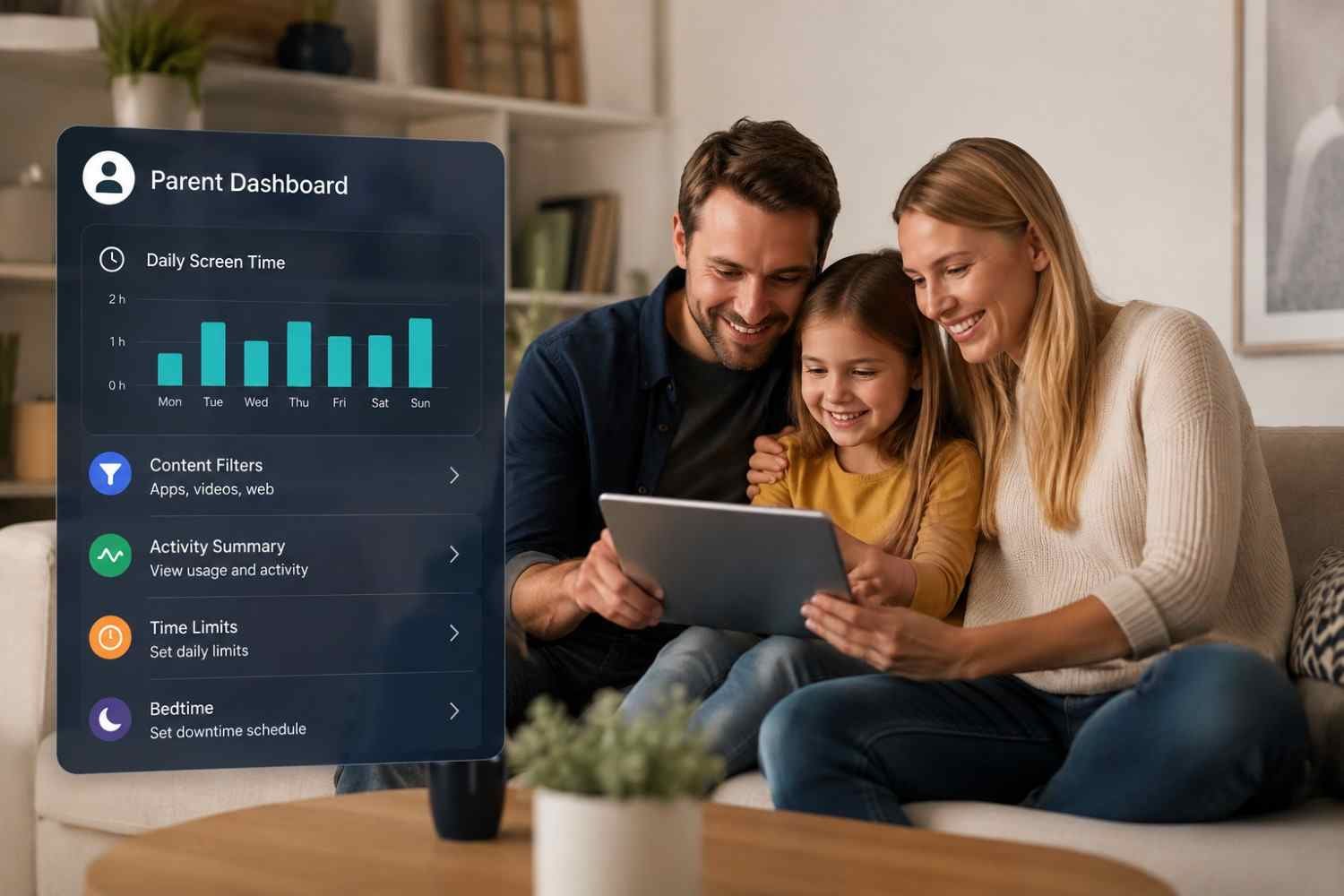
I first noticed how quickly a child’s tablet can become several things at once: a reading device, game console, video player, and doorway to a much bigger digital world. Amazon’s parental tools caught my attention because they put many everyday decisions in one place rather than requiring a parent to adjust every setting directly on the device.
I also found the name a little confusing at first. Amazon Parent Dashboard is not another entertainment service for children. It is the control center parents use with Amazon Kids-enabled experiences to manage profiles, content, screen time, and activity. Once that distinction is clear, the dashboard becomes much easier to understand and use as part of a family routine.
What Is the Amazon Parent Dashboard?
The Amazon Parent Dashboard is a free management hub for parents using compatible Amazon Kids devices and services. It connects a child’s profile with settings that determine what they can access and how they can use the device.
Instead of treating parental controls as a single switch, the dashboard provides several layers of control. Parents can review activity, manage content, adjust age filters, set time limits, and handle certain requests remotely.
It is also useful to separate three related terms. Amazon Kids is the child-focused experience, Amazon Kids+ is the optional subscription service providing a larger library of children’s content, and the Parent Dashboard is where parents manage many controls around that experience.
How Families Get Started
Parents can access the dashboard through a web browser or the dedicated Amazon Kids Parent Dashboard app. After signing in with the Amazon account, they can create or select a child profile and begin adjusting settings.
A child profile is the foundation of the system. Settings can be tailored to the individual child, which matters when siblings have different ages, interests, or levels of independence. Amazon also allows parents to manage multiple child profiles.
Once a profile is selected, the dashboard brings common controls into one place.
Managing Screen Time and Daily Routines
Screen time is often where the dashboard becomes most useful. Parents can establish daily limits and, depending on the supported device and experience, set different limits for categories such as apps, games, or video while allowing more generous reading time.
A blanket two-hour limit treats reading a book and watching videos exactly the same way, even though many families may want different boundaries. Parents can instead shape a routine around how the child actually uses the device.
Bedtime settings and the ability to pause device access can also help with predictable routines. A parent might allow reading before bed while stopping entertainment at a certain time.
Choosing Content and Controlling Access
Content management gives parents another layer of control. Age filters can help surface material appropriate for a child’s age, while parents can manage individual books, apps, videos, games, and other content.
The dashboard can also be used to add content manually or manage web links where supported.
Purchase and download requests can be another practical concern. When a child requests eligible content, parents may be able to review and approve the request remotely rather than handing over purchasing control.
Parents should still check third-party apps separately. Amazon’s controls do not automatically make every outside service behave exactly like Amazon Kids content, so app-specific privacy and parental settings can remain relevant.
Reviewing Activity and Adjusting Settings
The dashboard is not only about restrictions. Activity information can help parents understand what a child is actually doing with the device. Depending on the experience, parents can see interaction with apps, books, videos, games, skills, and other supported activities.
If a child spends most of the allotted time reading, the settings may already be working well. If video consistently consumes the available time, a parent may decide to change category limits or discuss a different routine.
The same approach applies to web browsing, communications, and Alexa-related features. Available controls differ across products, but the basic idea remains consistent: review the child’s experience, identify what needs adjustment, and change the relevant setting.
What Parents Should Keep in Mind
The dashboard can simplify parental controls, but it does not replace parental judgment. Device capabilities differ, and some settings depend on the specific Amazon product, operating environment, or service involved.
A child may understand a bedtime limit more easily when the reason for it is clear. Parents can revisit these choices as a child’s reading habits, interests, and independence develop. The goal is a setup that feels clear enough for parents and predictable enough for children, rather than a collection of confusing restrictions.
For families with several Amazon devices, the biggest advantage is having a central place to review and adjust many settings. That balance matters when rules stay simple and consistent. This can make parental controls easier to maintain as routines change.
FAQs: How the Amazon Parent Dashboard Works for Families
1. Is Amazon Parent Dashboard free?
Yes. The Parent Dashboard itself is a free management tool. Some children’s content and features, particularly those associated with Amazon Kids+, may require a separate subscription.
2. Can parents set screen time limits?
Yes. Supported Amazon Kids experiences allow parents to set daily limits and, in some cases, manage limits by activity category, such as video, apps, or reading.
3. Can parents see what their child is doing?
Parents can review supported activity, including interactions with apps, books, videos, games, and skills. Available activity details depend on the device and service.
4. Can parents approve purchases remotely?
For eligible child purchase or download requests, parents can review and approve requests through the Parent Dashboard. Availability depends on the content and account setup.
Why Centralized Controls Can Make Family Routines Easier
The real value of the Amazon Parent Dashboard is not any single button or setting. It is the ability to bring several small parenting decisions together: what a child can access, when they can use it, which activities deserve more time, and what deserves a closer look. That central view can save friction, especially as children become more independent and their digital habits change.
Good parental controls should create useful boundaries without turning every device session into a battle. Used thoughtfully, the dashboard gives families room to adjust those boundaries as children grow, routines shift, and technology becomes a bigger part of everyday life.